

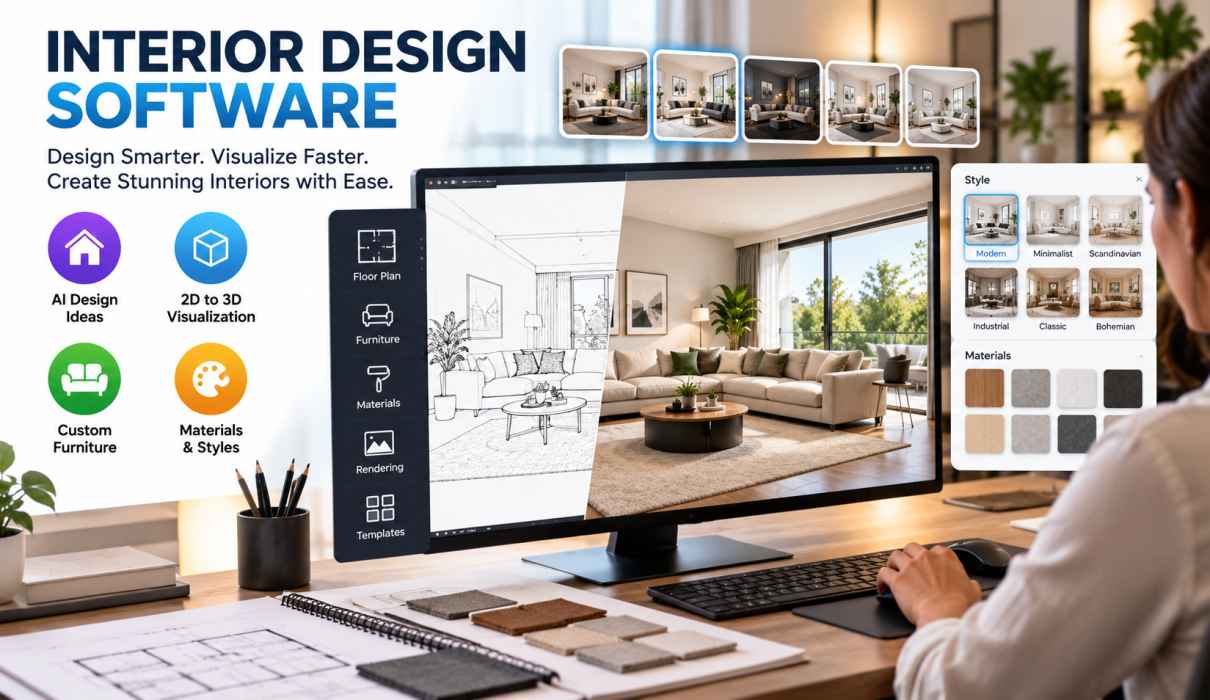
Interior Design Software
Great interior design starts with great ideas, but ideas alone do not win clients or build beautiful rooms. Designers need to plan layouts, test materials, create visuals, and communicate clearly, all while meeting deadlines and budgets. That is exactly why interior design software has become essential for professionals, students, and homeowners alike.
In this guide, you will learn what interior design software does, its key benefits, the features worth looking for, popular options, and how to choose the right tool for your needs.
What Is Interior Design Software?
Interior design software is a digital tool that helps you plan, visualize, and present interior spaces. Depending on the program, you can draw floor plans, arrange furniture, apply colors and materials, simulate lighting, and generate realistic 3D images or walkthroughs.
Some interior design software is built for professionals who need technical accuracy and detailed documentation. Other tools are designed for beginners and homeowners who simply want to try out a room layout before buying furniture. Between these two ends sits a wide range of options at different skill levels and budgets.
Why Use Interior Design Software?
The days of relying only on hand sketches and mood boards are fading. Here is why modern designers rely on digital tools.
1. Visualize Before You Build
Clients often struggle to imagine how a space will look from a flat drawing. Interior design software turns plans into 3D visuals, so everyone sees the result before a single item is purchased or installed.
2. Save Time
Changing a sofa color or moving a wall by hand means redrawing everything. With digital tools, changes take seconds. Many programs also include libraries of furniture, fixtures, and materials, which removes the need to build everything from scratch.
3. Reduce Costly Mistakes
A table that does not fit or a layout that blocks a doorway is far cheaper to fix on screen than on site. Accurate scale and measurements help you spot problems early.
4. Improve Client Communication
Polished visuals help clients understand your vision and give clearer feedback. This leads to faster approvals and fewer revision rounds. Strong presentations also make your business look more professional.
5. Experiment Freely
Want to compare three color palettes or five flooring options? Interior design software lets you test ideas without any physical commitment, encouraging creativity and better final decisions.
Key Features to Look For
Not every tool offers the same capabilities. Consider these features when comparing interior design software.
2D floor planning. Draw accurate layouts with walls, doors, windows, and dimensions. This is the foundation of almost every project.
3D modeling and visualization. Look for tools that let you view your design from multiple angles, including walkthroughs and top-down views.
Extensive object libraries. A large catalog of furniture, lighting, decor, and finishes speeds up your workflow. Check whether you can import custom or brand-specific items.
Realistic rendering. High-quality rendering produces photorealistic images with accurate lighting, shadows, and materials. This is crucial for client presentations and marketing.
Material and color tools. Being able to apply paint, wallpaper, flooring, and textures realistically helps clients make confident choices.
Collaboration and sharing. Cloud storage, shareable links, and commenting features make teamwork and client feedback easier.
Compatibility and exports. Support for common formats such as DWG, PDF, JPG, and 3D file types ensures smooth work with architects, contractors, and suppliers.
Ease of use. A friendly interface shortens the learning curve, especially if you are a beginner or running a small studio.
Budget and cost tools. Some interior design software can generate material lists and estimates, which helps you manage project budgets.
Popular Types of Interior Design Software
The market is crowded, so it helps to think in categories. Features and pricing change often, so always check each provider’s current offering before you decide.
Professional 3D Design and Modeling Tools
Programs such as SketchUp, Revit, 3ds Max, and Blender give designers deep control over modeling and detail. They suit complex projects and often pair with advanced rendering engines. The trade-off is a steeper learning curve and, in some cases, higher costs.
Dedicated Interior Design Platforms
Tools like Foyr Neo, Cedreo, Chief Architect, and similar platforms focus specifically on interiors and residential design. They often combine floor planning, large product libraries, and built-in rendering in one place, making them popular with design studios and home builders.
Beginner-Friendly and Online Planners
Options such as Planner 5D, RoomSketcher, Floorplanner, and Homestyler are easy to pick up and run in a browser or on mobile devices. They work well for homeowners, students, and quick concept work, though advanced customization may be limited.
Rendering and Visualization Software
Tools such as V-Ray, Lumion, Enscape, and D5 Render focus on turning existing models into striking, realistic visuals. Many designers use them alongside a modeling program rather than as a standalone solution.
AI-Assisted Design Tools
Newer platforms use artificial intelligence to generate room layouts, restyle spaces, or stage photos in minutes. They are great for early concepts and fast inspiration, but outputs should always be checked against real measurements and project requirements.
How to Choose the Right Interior Design Software
The best choice depends on you, not on what is trending. Work through these questions.
1. What is your skill level? Beginners should prioritize intuitive interfaces and tutorials. Experienced professionals may value deeper customization.
2. What type of projects do you handle? Residential, commercial, hospitality, and renovation work all have different needs. A tool that excels at kitchens may not suit large retail spaces.
3. What is your budget? Consider subscription fees, one-time costs, hardware requirements, and training time. Free trials and entry-level plans are a smart way to test before committing.
4. How important is rendering quality? If you sell high-end concepts, photorealism matters. For quick layout planning, simpler visuals may be enough.
5. Does it integrate with your workflow? Check compatibility with the software you already use and the formats your clients and contractors require.
6. What hardware do you have? Some interior design software needs powerful computers and graphics cards, while web-based tools run on almost any device.
7. Is support and learning content available? Good tutorials, active communities, and responsive customer support can save you hours of frustration.
Tips for Getting the Most From Your Software
- Start with accurate measurements. Even the best interior design software cannot fix a plan built on wrong dimensions.
- Build a personal library. Save favorite materials, furniture, and templates so you can reuse them across projects.
- Learn keyboard shortcuts. Small time savers add up significantly over a project.
- Use lighting wisely. Natural and artificial light dramatically change how colors and materials appear.
- Present in stages. Share layouts first, then materials, then final renders, so clients can approve each step.
- Keep learning. Software updates regularly. Following tutorials and release notes helps you stay efficient.
Common Mistakes to Avoid
- Choosing a tool only because it is popular. The right fit matters more than brand recognition.
- Overcomplicating early designs. Start simple, then add detail as ideas are approved.
- Ignoring scale and proportion. Unrealistic furniture sizes can mislead clients and create problems later.
- Relying solely on pretty renders. Visuals should be supported by accurate plans and specifications.
- Skipping backups. Save and back up your files regularly to avoid losing hours of work.
The Future of Interior Design Software
The industry is moving quickly. Expect more AI-powered automation, real-time rendering, augmented reality previews, and cloud-based collaboration. Clients may soon walk through their future homes using a phone or headset before construction even begins. As these capabilities mature, interior design software will become faster, more accessible, and more closely connected to product catalogs and ordering systems.
Frequently Asked Questions
What is the best interior design software for beginners? Browser-based planners with drag-and-drop tools and ready-made libraries are usually the easiest starting point. Look for free trials so you can test before paying.
Is there free interior design software? Yes. Several tools offer free plans or limited versions. They typically have fewer features, lower render quality, or usage limits compared with paid plans.
Do professional designers need 3D rendering skills? It is increasingly valuable. Many clients expect realistic visuals, and strong rendering skills can help you stand out and win projects.
Can interior design software create construction drawings? Some professional programs can produce detailed plans, elevations, and documentation. Others focus mainly on concept visuals, so check the feature list.
Will AI replace interior designers? Unlikely. AI can speed up drafting and visualization, but creativity, client understanding, and problem solving still come from human designers.
Conclusion
Interior design software helps you plan smarter, present better, and deliver spaces that match your clients’ expectations. Whether you are a seasoned professional or decorating your first home, the right tool can save time, reduce mistakes, and turn ideas into visuals that inspire confidence.
Take the time to define your needs, compare features, and try a few options through free trials. Once you find interior design software that fits your workflow and budget, you will wonder how you ever designed without it.